Introduction – Why Choosing the Right Printer Matters
Let’s be honest—printers have a reputation for being annoying. They run out of ink at the worst possible moment, disconnect randomly, or refuse to print when you’re in a hurry. I’ve been there. After years of using cartridge-based inkjet printers, I reached a breaking point. That frustration is what led me to the Brother Ink Tank DCP-T535DW, and honestly, it feels like I finally made peace with printing.
Meet the Brother Ink Tank DCP-T535DW
The Brother DCP-T535DW is an ink tank printer designed to print, scan, and copy with ease. It supports color and monochrome printing, auto duplex, Wi-Fi dual band connectivity, and even mobile printing for Android and iPhone users.
This printer is clearly aimed at people who print frequently—homes with kids, remote workers, small offices, and anyone tired of replacing ink cartridges every few weeks.
Design & Build Quality
Compact and Sleek Matte Black Finish
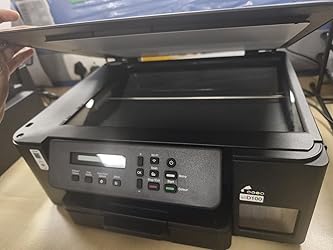
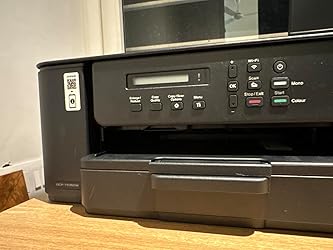
The first thing I noticed was how compact and modern this printer looks. Compared to my old HP and Epson ink tank printers, the Brother DCP-T535DW feels slimmer and more refined. The matte black finish gives it a professional vibe without screaming “office equipment.”
Perfect for Small Spaces
If you’re working from home or living in an apartment, space matters. This printer fits comfortably on a small desk without dominating the room.
Installation & Setup Experience
Unboxing and Initial Setup
Everything you need comes in the box—power cable, USB cable, installation CD, and genuine ink bottles. Filling the ink tanks was straightforward and mess-free.
Wi-Fi Setup – The Only Hiccup
I won’t sugarcoat it—the initial Wi-Fi setup was a bit tricky. It took me a few attempts to get it right. But once configured, the printer connects instantly every time.
Brother Technician Installation
If you prefer professional help, Brother offers technician installation. I booked an appointment through customer care, and the process was smooth and reassuring.
Connectivity Options Explained
Dual-Band Wi-Fi & USB
The dual-band Wi-Fi ensures stable connections, even with multiple devices on the network. USB connectivity is also available if you prefer a wired setup.
Mobile Printing with Brother Mobile Connect
Printing from Android and iPhone is seamless using the Brother app. One thing to note—you must print through the app, not directly from other apps. Once you know this, it’s not an issue.
Print Performance & Speed
With 27 ppm for monochrome and 11 ppm for color, this printer is fast. Whether it’s homework, office documents, or reports, prints start almost instantly.
Print Quality – Crisp & Professional
Black-and-white prints are sharp and clean. Color prints are vibrant, especially when you increase the print quality settings. On photo paper, the results are impressive—on par with HP’s excellent color calibration.
Scanner & Copier Performance
The flatbed scanner delivers high-quality scans with resolutions up to 19200 × 19200 dpi (interpolated). Photocopies are clear and accurate, making it perfect for daily tasks.
Auto Duplex & Paper Handling
Automatic duplex printing is a lifesaver. It saves paper and time. The printer supports a wide range of paper sizes and handles up to 220 GSM, which is great for photo printing.
Ink Tank System & Running Cost
This is where the printer truly shines. With 15,000 pages (black) and 5,000 pages (color) ink yield, running costs are incredibly low. If you’ve ever panicked about drying cartridges, this printer feels like freedom.
Operating System & Device Compatibility
Compatible with Windows, Mac, Linux, Chrome OS, and mobile devices, this printer fits seamlessly into any tech ecosystem.
Special Features That Stand Out
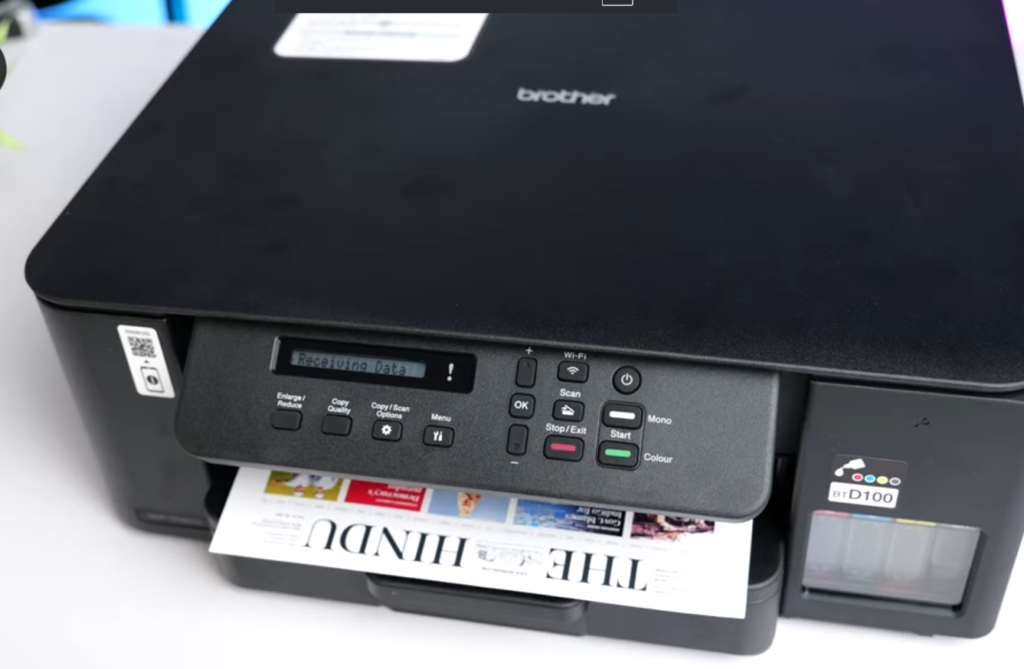
Refillable ink bottle technology
Auto duplex printing
Borderless printing
Wireless and mobile printing
Stable performance with 128MB memory
Ideal Usage Scenarios
Whether you’re a student, parent, teacher, freelancer, or small business owner, this printer adapts effortlessly.
Personal Story – Why This Printer Changed Everything
After years of battling cartridge issues, I bought this printer for home use. Two months in, I can confidently say it’s one of the best decisions I’ve made. From printing school worksheets to scanning documents and photo printing, it just works—no stress, no drama.
Pros & Cons
Pros
Excellent print quality
Very low running cost
Auto duplex printing
Compact design
Reliable Wi-Fi
Cons
Initial Wi-Fi setup can be confusing
Mobile printing requires Brother app
Overall Verdict – Highly Recommended
If you’re looking for a reliable, cost-effective, and feature-rich ink tank printer, the Brother DCP-T535DW is a fantastic choice. It outperforms many competitors and delivers excellent value for money.
Conclusion
The Brother Ink Tank DCP-T535DW is more than just a printer—it’s a long-term solution. With great print quality, low running costs, and everyday convenience features, it’s ideal for modern homes and offices.
Click for review on youtube.
FAQs
1. Is the Brother DCP-T535DW good for home use?
Yes, it’s perfect for home and small office use.
2. Does it support mobile printing?
Yes, via the Brother Mobile Connect app.
3. Is auto duplex printing available?
Yes, it supports automatic double-sided printing.
4. How expensive is ink replacement?
Very affordable due to high-yield ink bottles.
5. Is this printer better than Epson ink tank models?
In my experience, yes—especially in connectivity and ease of use.